An AI agent for your email support. Draft replies for your team.
ELIA Assistant is an AI agent that reads incoming emails, sorts them by intent and prepares draft replies from your company information. It saves them in your mailbox’s Drafts folder. Your team reviews, edits if needed and sends them.
We’ll go through your mailbox connection and support process.
A personalised draft reply based on your company content.
From question to outcome
An email arrives. The reply is ready.
Email support
Example
Incoming email
From
Martina Novak <martina@example.com>
To
Customer support <support@example.com>
Subject
Returning an item – order #1042
Hello,
the jacket from order #1042 does not fit. I would like to return it. What is the process and where should I send the package?
Thank you for your help.
Martina Novak
ELIA Assistant’s draft for your team
From
Customer support <support@example.com>
To
Martina Novak <martina@example.com>
Subject
Re: Returning an item – order #1042
Hello Martina,
you can return the jacket within 14 days of delivery. Please include the completed return form and send the package to the address listed in our return instructions.
If you need help with the form, please reply to this email.
Kind regards,
Customer support
Intent: return · Draft awaiting review
What happens behind the scenes
1
ELIA Assistant reads the email and identifies the topic.
2
It prepares a draft from the return policy you provided.
3
Your team reviews the reply in Drafts, edits it if needed and sends it.
Capabilities
Less sorting. Less writing from scratch.
Sorts incoming messages
Identifies the intent, such as a question, request or complaint, to help your team orient itself in the inbox.
Prepares draft replies
Uses your FAQ and company documents. It saves each reply in your mailbox’s Drafts folder for your team to edit and send.
Supports individual cases
Complex requests remain with your team, with the message and conversation history available in CRM.
When a person is needed
Replies remain in Drafts until your team reviews and sends them. Your team decides on refunds, exceptions and delivery commitments.
Additional options for your team
Mailbox connection via IMAP or Google Workspace
Reply tone based on your instructions
Searchable email history in CRM
MCP server for your AI tools
Connect your internal AI tools to messages and interactions in the ELIA Assistant CRM. Use conversation data in your own reports and workflows.
Getting started
Connect your mailbox. Set the rules. Check the drafts.
01
Agree on the workflow
Tell us which mailbox you use and what customers ask most often. We’ll confirm the connection and the folder where draft replies will be saved.
02
Prepare your sources
Add your FAQ, product information and policies, or use automatically processed website content. Set the tone and instructions for preparing draft replies.
03
Test on typical emails
Check draft replies on routine and complex messages. Refine the rules before bringing it into daily use.
Mailbox connections
IMAP or Google Workspace
Connection depends on your email provider and access permissions. We’ll confirm the requirements with you.
More than an email reply
Accessing current order information or working with your CRM or ERP requires a custom integration. We’ll agree on the scope and price individually based on your systems and requirements.
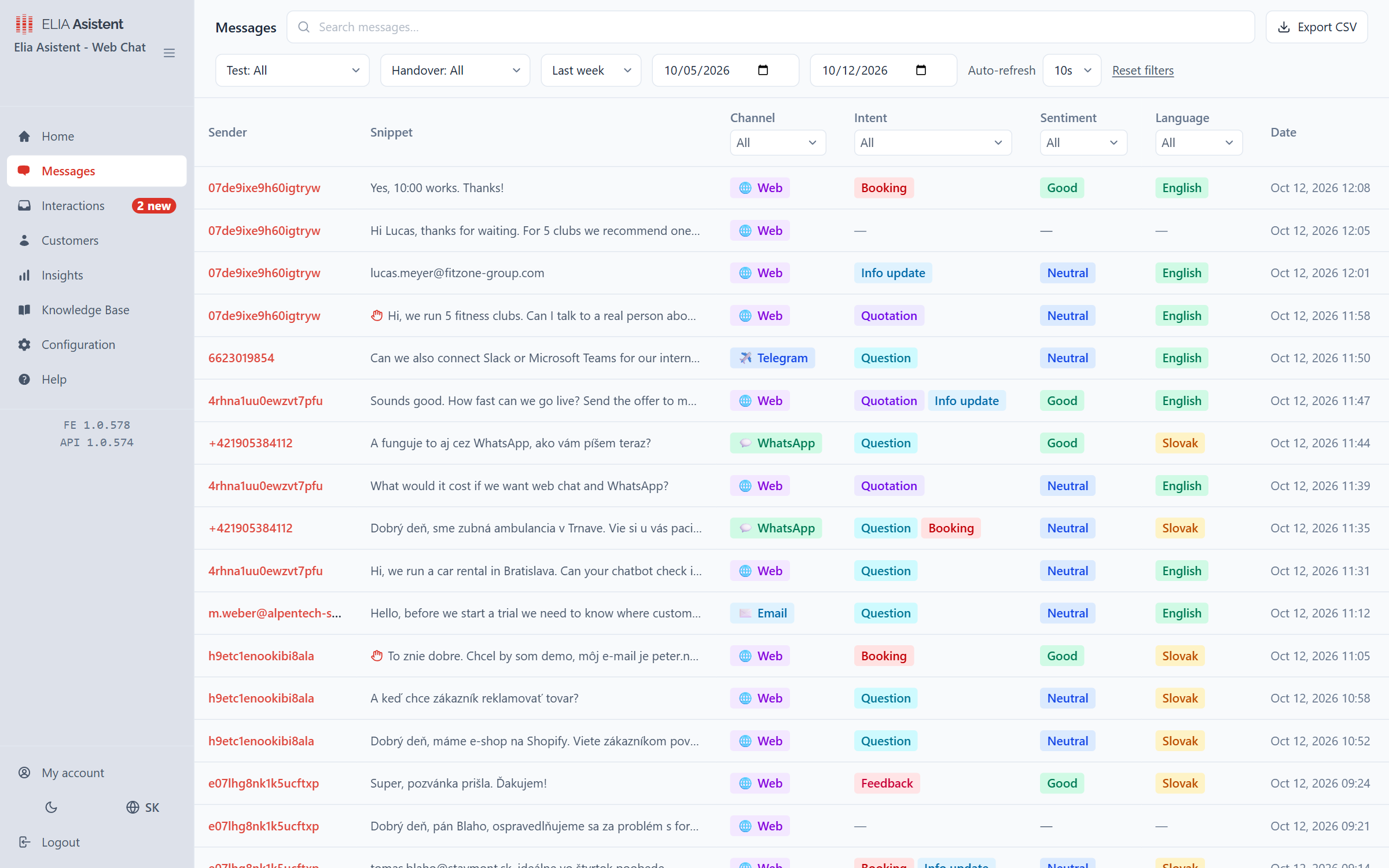
CRM included
Your team stays in control.
Review email history and request status in one dashboard. Your team can pick up a case with its context.
Unlimited users. Assign requests and control access with roles.
One inbox for every connected channel
Pricing
A plan for your email support.
Includes CRM and unlimited users. We’ll discuss the mailbox connection and your team’s workflow with you.
Yes and no – it depends on whether automatic sending mode is enabled. In draft mode, it does not send emails: it saves draft replies in your mailbox, where your team reviews, edits if needed and sends them.
Your email provider, the chosen mailbox and the necessary access permissions. We’ll confirm the requirements for IMAP or Google Workspace before connecting it.
Company documents alone do not provide live order information. Access to your order system needs a separate integration and permissions.
Test typical emails, complaints and questions with missing information. Your team checks factual accuracy and tone, then refines the sources and instructions before daily use.
Draft replies are saved in your connected mailbox’s Drafts folder. Your team can review and send them in the email app they already use. Before setup, we’ll check mailbox compatibility and how drafts appear together.
Start with common customer questions, product and service information, shipping, complaints and terms. Include examples of replies you are happy with. Keep the material up to date, clear and consistent across sources.
Yes. Your instructions define the tone, level of formality and what replies should include. Examples of your usual replies help clarify the style you want. Your team reviews the drafts and edits them as needed before sending.
Yes, ELIA Assistant can prepare a draft in the customer’s language. Before setup, test emails in the languages you use, especially technical terms and wording from your terms and conditions. Your team reviews the draft before sending.
Your instructions define how to handle missing information, such as requesting more details from the customer or having your team review the request. The reply stays in Drafts, where you can complete it. If the same question keeps coming up, add the answer to your sources too.
CRM provides emails, conversation history and request status. Search and filters help you find a specific case and its context. CRM and unlimited users are included in the plan.
Let’s start with your mailbox.
Tell us what your team handles most often. We’ll discuss the connection and a suitable workflow.
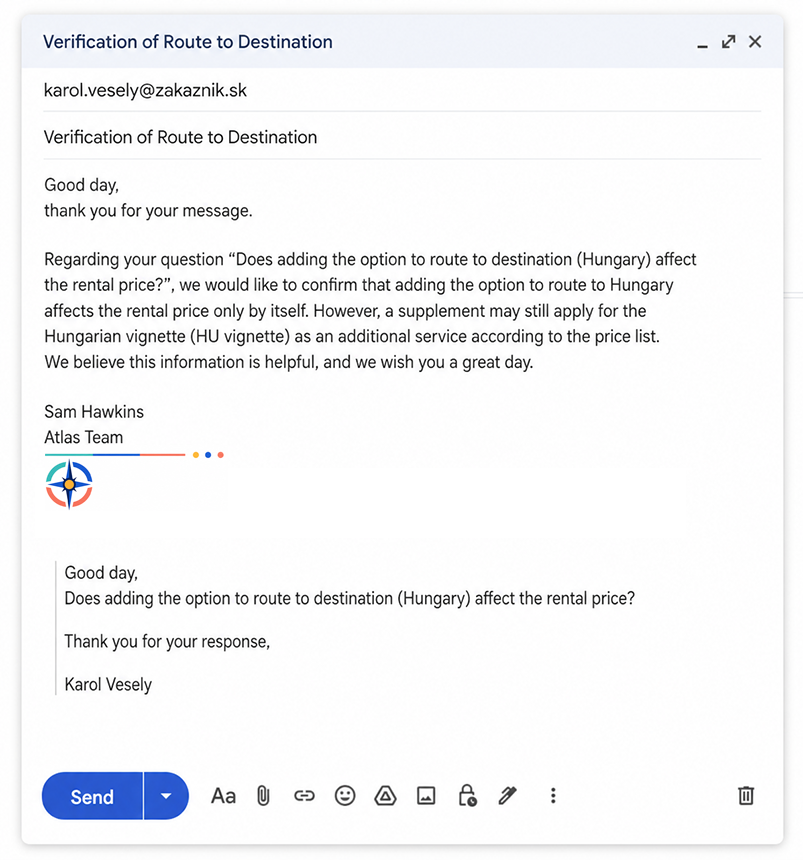
 A personalised draft reply based on your company content.